Automating lead follow-up at your gym: how to test the entire process
· Dialanta
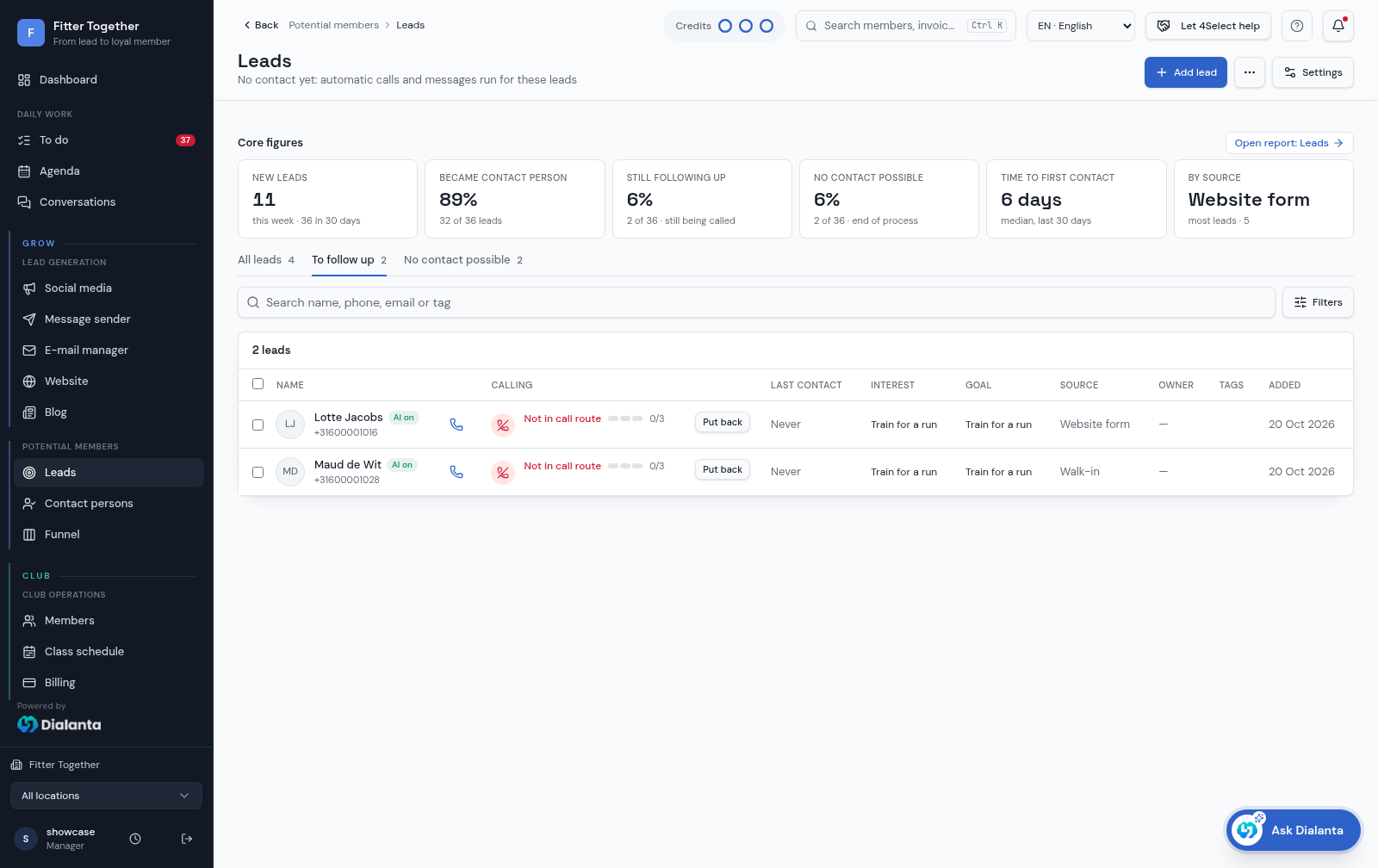
You can automate lead follow-up at your gym by sending website enquiries directly to your CRM and linking them to messages, calls, appointments and follow-up tasks. Then test the entire process by submitting your own test enquiry: check not only whether the first message arrives, but also what happens when someone replies, books or does not show up.
Below, you can read how to do this with Dialanta. These checks are practical recommendations for your setup, not a guarantee of more sign-ups.
1. Start with one enquiry route
First, choose one form and one next step, such as an initial consultation. Check what information you need for this and whether the offering on your website is still accurate. Only add other enquiry routes once this first route works properly.
Dialanta website forms create a lead directly and start the lead flow. Submit an enquiry yourself using contact details you control. Then check:
- Has the enquiry arrived in the CRM?
- Have the contact details and question been saved correctly?
- Can you find the status and the next follow-up step?
2. Test the conversation, not just the acknowledgement
A message that simply says ‘thank you for your enquiry’ is not yet a complete follow-up process. Also test whether someone gets an answer to a specific question and can move on to booking an appointment.
The Dialanta AI messaging agent responds day and night via WhatsApp, with SMS as a fallback, and can book the appointment. During your test, ask a typical question about your club and check whether the answer matches what you actually offer. Medical questions are passed on to a human.
3. Check the call process when your team does not answer
Decide in advance which phone or colleagues will receive the call. With Dialanta, a colleague is called within five minutes of a new lead arriving. The AI voice agent calls the lead if no one on the team answers and responds to callback requests.
Test both situations: a colleague answers, and no one answers. Afterwards, check whether you can find the call information. This lets you assess whether the call process suits the way your team works, rather than just the staffing levels during setup.
4. Work through three outcomes of the same enquiry
The prospect books
Check whether the appointment appears at the correct time in the calendar. Dialanta supports automated appointment emails, including confirmations and reminders. Read them as a visitor would: are the date, time and purpose of the visit clear?
The prospect does not respond
Review which contact attempts have been made and what the next step is. The Leadmanager supports up to six call attempts per lead. Check with your team how you handle someone who wants to decide later or no longer wants to be contacted. Agree on clear working procedures for this; more messages do not automatically mean better follow-up.
The prospect does not show up
Record the missed appointment and check the follow-up action. In Dialanta, statuses such as interested, visited, no-show or cancelled can automatically generate a task for the right colleague. Check whether that task is actually seen and completed as part of your team's daily work.
5. After launch, check where enquiries get stuck
Regularly review the progression from enquiry to contact, appointment and sign-up. Dialanta reports show the funnel, call attempts and drop-off analysis, among other things. Use that information to investigate one bottleneck at a time.
- No contact: check the contact details and the contact attempts made.
- Contact made, but no appointment: read the conversation to see whether it offers a clear next step.
- Appointment booked, but no visit: check the appointment information and reminders.
Want to explore this process for your gym? Book a Dialanta demo and bring your own test scenario: a new enquiry, no response and a booked appointment.