
E-mail manager · Included in Grow
02 Lead conversion
E-mail manager for gyms: newsletters and automatic e-mails
Send newsletters with blocks, video and AI texts to leads and contact persons. Appointment e-mails go out automatically in your club's name.
Grow from €399 per month per location · 14 days free · 1,500 e-mails per month included
At a glance
- What it is
- Newsletters and automatic appointment e-mails for fitness leads and contact persons
- For whom
- Gyms, boutique studios, personal trainers and multi-location clubs
- Included in
- Grow and Club, with 1,500 e-mails per month
- Price
- From €399 per month per location, 14 days free, cancel monthly
- Languages
- Your club's own language — ask for a custom language; Dialanta is translated with one click.
- Countries
- Worldwide
What it does
Three things this does for your club
Newsletters from blocks
Build newsletters with blocks and video, and let AI write the texts.
Automatic appointment e-mails
Confirmation, reminder, missed appointment and "we tried to reach you", in your club's name.
Tracked and compliant
An unsubscribe link and click tracking are included, with 1,500 e-mails a month in Grow.
01 — The problem
E-mails take time, and some get forgotten.
Newsletters are easy to postpone. Appointment reminders are easy to forget. Then people miss their trial, and nobody tells them what is new.
Dialanta is the all-in-one AI software for fitness businesses. The e-mail manager sends your newsletters and your automatic e-mails from the same place as your leads.
Newsletters stay separate from service e-mails, so an offer never gets mixed up with an appointment confirmation. Every e-mail goes out in your club's name.
It is part of Grow, the package for lead generation and lead-to-member conversion in Dialanta, the all-in-one AI software for fitness businesses.
02 — How it works
From idea to sent e-mail in five steps
- 1Choose who gets itSend newsletters to leads and contact persons. In Club, also to your members.
- 2Build it from blocksBuild the newsletter with blocks and video, and let AI write the texts.
- 3Switch on the automatic e-mailsAppointment confirmation, reminder, missed appointment and "we tried to reach you" go out in your club's name. Switch each one on or off.
- 4Send itAn unsubscribe link and click tracking are included in every newsletter.
- 5Follow upClicks show who is interested, and your team picks up the next step from the person card.
03 — What is in it
Newsletters and automatic e-mails
Newsletters with blocks and video
Build newsletters with blocks and video, and send them to leads and contact persons.
AI texts
AI helps you write the texts.
Separate from service e-mails
Newsletters are kept separate from service e-mails.
Automatic appointment e-mails
Appointment confirmation, reminder, missed appointment and "we tried to reach you", in your club's name. Switch each one on or off.
Unsubscribe and click tracking
An unsubscribe link and click tracking are included.
1,500 e-mails per month in Grow
Grow includes 1,500 e-mails every month.
What the screens show
The e-mail manager at a glance
The e-mail manager opens on the planning tab. Core figures show how many people a mailing reached, how many clicked, and how many of those became leads, appointments and members. Next to the figures you see how many mailings are drafts, scheduled or sent, and a note when a campaign worked in your other channels as well.
Creating a mailing follows four steps: to whom it goes, what you want to say, the design and sending. Tabs hold the design, your photos and videos, and your contacts, so the mailing comes out in your club style with your own photos. Results are also available in Reports.
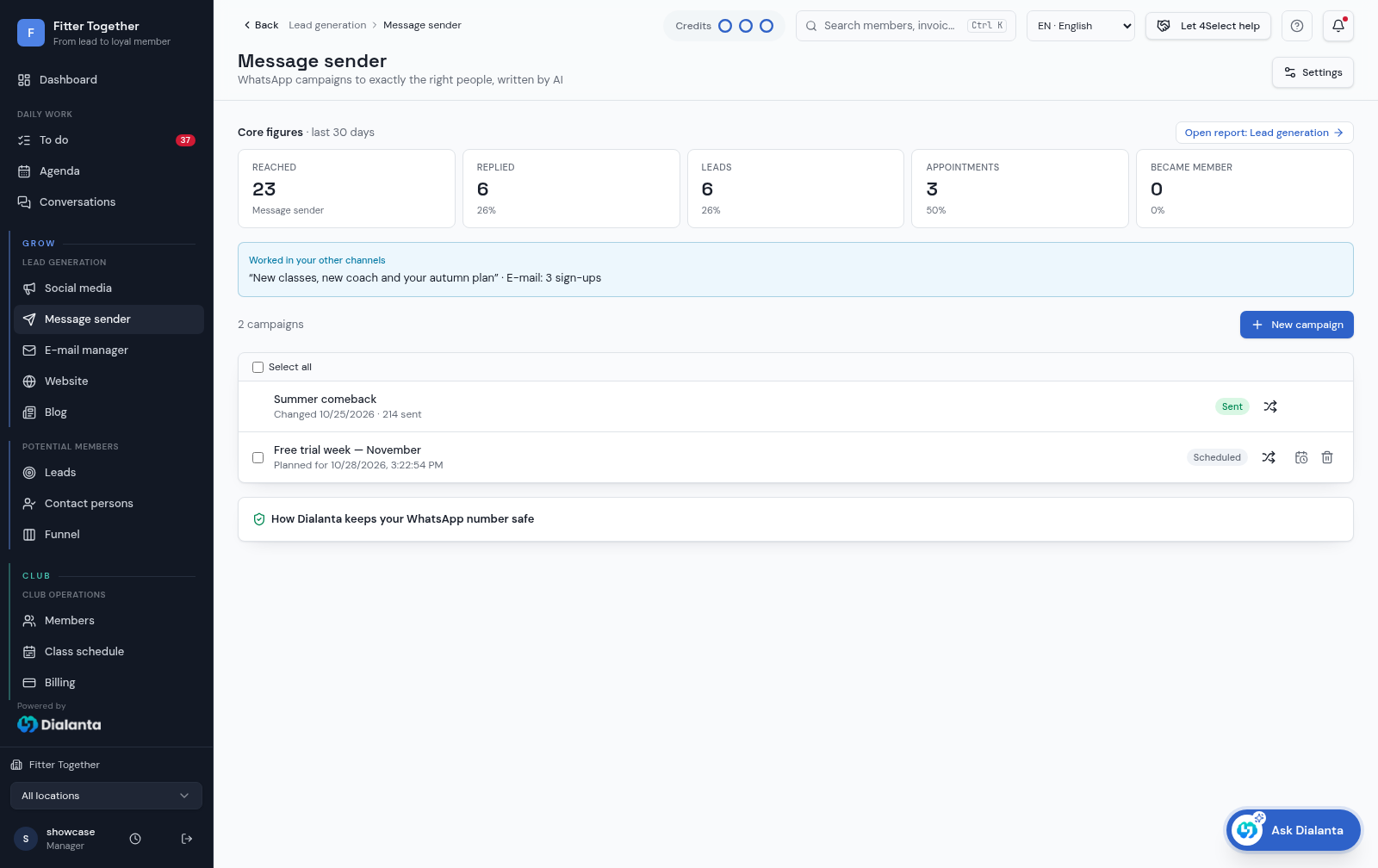
The message sender uses the same steps for WhatsApp, which keeps the two channels easy to run side by side. The campaigns screen shows how the WhatsApp side looks next to your newsletters.
03 — What the AI does here
Stay in touch without the work.
What the AI does
The AI writes and improves the texts of your newsletters, so a first draft takes minutes instead of an evening.
What you confirm
You read every newsletter before it goes out and you switch each automatic e-mail on or off. Dialanta never pays, deletes or bulk-sends by itself. AI actions use AI credits, and Grow includes 1000 of them every month.
In Club, the same campaigns, newsletters and automatic e-mails go to your members too.
The difference
Without vs with Dialanta
Without Dialanta
- Newsletters are easy to postpone
- Appointment reminders are easy to forget
- People miss their trial and nobody tells them what is new
With Dialanta
- Newsletters and automatic e-mails from one place
- AI writes the first draft
- Each automatic e-mail can be switched on or off
04 — Questions
Questions answered
Included in Grow
The e-mail manager is included in Grow, €399 per month per location, with 1,500 e-mails every month. You get 14 days free, the first direct debit only follows after 14 days, and you can cancel monthly.
In Club (€599, which is Grow + €200) the same campaigns, newsletters and automatic e-mails go to your members too. It works together with the Message sender, the Blog builder, the Leadmanager and the Social media manager.
Related:
Which automatic e-mails are there?
Appointment confirmation, reminder, missed appointment and "we tried to reach you", in your club's name. You switch each one on or off.
Who can I send newsletters to?
To leads and contact persons. In Club, also to your members.
How many e-mails are included?
Grow includes 1,500 e-mails per month.
Can people unsubscribe?
Yes. An unsubscribe link and click tracking are included.
Are newsletters mixed with service e-mails?
No. Newsletters are kept separate from service e-mails such as appointment confirmations.
05 — Start
Send better e-mails with less work.
Grow from €399 per month per location · 14 days free · 1,500 e-mails per month included